Quick Answer
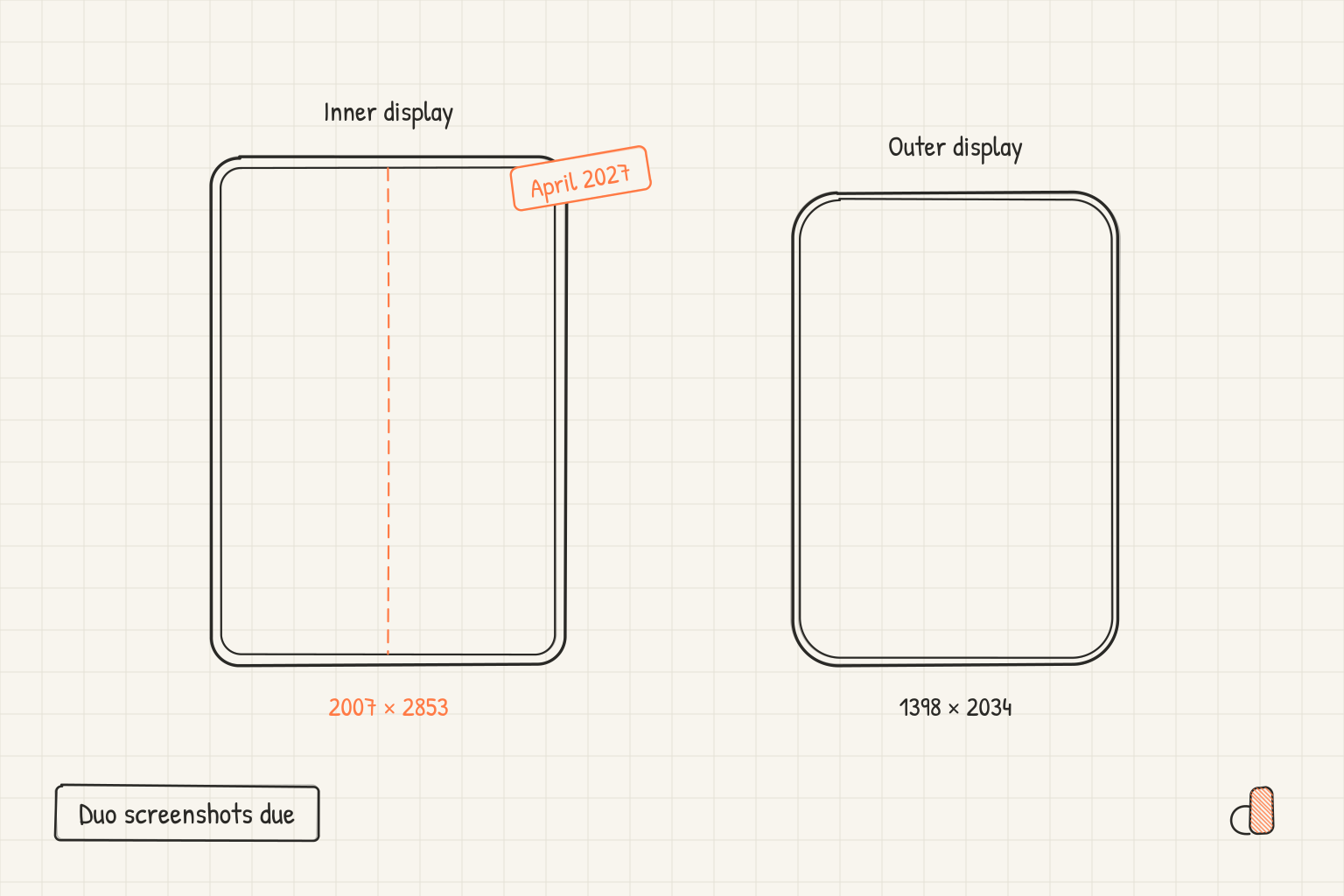
iPhone Duo goes on sale on October 23, 2026, and starting April 2027 Apple requires iPhone Duo screenshots in App Store submissions. Apple words the rule two ways: its iPhone Duo announcement says "any apps or games submitted", while the screenshot specifications page says "any app using the iOS 27.1 SDK or later". No Apple page names a day in April. The accepted sizes are 2007 × 2853 or 2853 × 2007 for the inner display and 1398 × 2034 or 2034 × 1398 for what Apple calls the outer display. The iPhone Duo sizes guide covers the dimensions in detail. This post covers who the deadline applies to and what to have ready before it.
What Apple's pages say, word for word
The news post and the App Store Connect release notes of October 5, 2026, and Apple's What's New on the App Store page, carry the deadline in the same sentence: "Starting April 2027, any apps or games submitted will need to include screenshots for iPhone Duo." The screenshot specifications page puts a different note on its iPhone Duo card: "Starting in April 2027, screenshots will be required for any app using the iOS 27.1 SDK or later."
For most submissions the two wordings agree. They part ways on one case:
| Your submission | Announcement wording | Specifications wording | What to do |
|---|---|---|---|
| Any submission before April 2027 | Not covered | Not covered | Optional: add a Duo set once you have one |
| New app or update from April 2027, built with the iOS 27.1 SDK or later | Covered | Covered | Include iPhone Duo screenshots |
| New app or update from April 2027, built with an earlier SDK | Covered | Not covered | Include them anyway |
The announcement says "any apps or games submitted" without separating a first release from an update, so read it as covering both. Plan for the broader wording: every submission from April 2027 includes iPhone Duo screenshots, whatever SDK built it. Reading it narrowly saves you one set of screenshots. Reading it broadly covers every submission, whichever wording App Store Connect enforces.
Two things the pages leave open:
- The day. Every page says April 2027 and none gives a date, so have the set ready before April 1, 2027.
- One display or both. The iPhone Duo card lists sizes for both displays and does not say whether one set is enough. The App Store Connect API names a single iPhone Duo display class, which suggests one set at either size fills it, but no page says so. Capture both, since the second costs a few minutes (see below).
Can you upload iPhone Duo screenshots yet
When Apple added the iPhone Duo sizes, the App Store Connect release notes for September 9, 2026 said: "Support for uploading assets for iPhone Duo in App Store Connect will be available later this year." The October 5 announcement says you can submit iPhone Duo optimized apps "in App Store Connect today", that updated screenshot specifications "are now available", and that a new preview tool in App Store Connect shows your product page on iPhone Duo. As of October 9, 2026, none of these pages says in so many words that the iPhone Duo screenshot slot is open.
The check that settles it takes a minute: open your next version's page in App Store Connect and look for iPhone Duo among the screenshot sizes. If it is there, upload your set with that version. If it is not, keep the set ready and look again before your first submission of April 2027.
Capture both displays on the simulator
The real screenshots come from the iPhone Duo simulator. Apple's announcement says Xcode 27.1 "adds development support for iPhone Duo" and points to Device Hub, which replaced the Simulator app in Xcode 27, "to visualize how your apps behave on iPhone Duo across all poses and orientations." The Device Hub capture guide covers taking a screenshot in general. What is specific to the Duo comes from a test the appdesigns team ran on October 8, 2026, on the iOS 27.1 runtime under Xcode 27.2 beta 2:
- You need Xcode 27.1 and its iOS 27.1 runtime. Xcode 27.0 lists iPhone Duo but answers "Incompatible device" when asked to create one.
- It boots folded and upright, with your app on the outer display. An outer display capture at that point is 1398 × 2034, an accepted size, so the outer set needs no setup.
- Opened flat, the inner display shows apps in landscape and captures at 2853 × 2007. Turned to portrait, it captures at 2007 × 2853. Both are Apple's accepted inner sizes exactly, so nothing needs scaling.
- A capture comes out the way the screen shows the app, never rotated, so do not rotate the files afterwards.
- Only Device Hub's own controls fold and turn it, and a reboot brings it back folded and upright. Open and turn it again after any reboot, then capture.
So capture the outer display first, while the device is folded, then open it flat, turn it to portrait once and capture the inner display. Keep each display's screenshots in its own set.
Start from your iPhone set in appdesigns
Your iPhone set already carries the captions, colours and order you chose, so a Duo set is mostly the same story at a new size. With a free account, an iPhone set's menu in the Projects library has Make an iPhone Duo set, and a project with iPhone screenshots but no Duo set offers an iPhone Duo chip that does the same from its latest iPhone set:
- Every screen moves to the inner display's 2007 × 2853, or 2853 × 2007 for a landscape set.
- Captions and pieces scale to fit and keep their places.
- The phone becomes iPhone Duo, unfolded: Night Sky when the iPhone frame was dark, Star White otherwise.
- Your screenshots come along cropped to the wider display, so the set reads finished, but they are still iPhone captures. Replace each one with its Duo capture before you upload.
The new set is filed in the same project as the iPhone set, next to the rest of your App Store listing assets. An outer display set is a second set at 1398 × 2034; the foldable sizes page lists both canvases.
If a coding agent makes your screenshots, the appdesigns MCP server has an iPhone Duo part in its workflow. The agent captures both displays on the simulator, asks you once to open the device flat in Device Hub (and turn it, for a portrait app), sends each display as its own set, and refuses a capture turned the other way from its set.
Make the Duo set for free in appdesigns
appdesigns is free: no account is needed to create or export, there is no watermark and exports are unlimited, rendered in your browser as PNG files. With an opaque background the PNG has no alpha channel, which matters because Apple's specifications say "Images can't include alpha channels or transparencies." The iPhone Duo presets are 2007 × 2853 and 1398 × 2034 plus their landscape versions, with an iPhone Duo device frame. A free account adds cloud save and the Projects library, where Make an iPhone Duo set lives. Open the editor and choose iPhone Duo as the device.
Frequently Asked Questions
Does an app already on the App Store need iPhone Duo screenshots?
Apple's announcement says "any apps or games submitted" from April 2027, which does not separate new apps from updates. The specifications page ties the rule to apps using the iOS 27.1 SDK or later. An update built with that SDK and submitted from April 2027 is covered by both, so plan for it.
Can I submit before April 2027 without iPhone Duo screenshots?
Yes. Every Apple page puts the requirement at April 2027, so no page holds earlier submissions to it. Your iPhone screenshots, and iPad ones if your app runs on iPad, are still required.
Which iPhone Duo display should I capture first?
The outer display. The simulator boots folded with your app on the outer display, so those captures need no setup. Then open the device flat, turn it to portrait in Device Hub once, and capture the inner display at 2007 × 2853.
Do I need screenshots for both the inner and the outer display?
Apple's iPhone Duo card lists sizes for both displays without saying whether one set is enough. Capturing both costs little, because the outer display is ready as soon as the simulator boots.
Can I make iPhone Duo screenshots without a Mac?
You can lay out a Duo set from your iPhone set in appdesigns in any browser, and it exports at the accepted inner size. The screens inside it are cropped iPhone captures, though. Real Duo captures need the iPhone Duo simulator, which runs in Xcode 27.1 on a Mac.