Quick Answer
Samsung's specification table for the Galaxy Z Fold8 Ultra, Fold8 and Flip8, published on July 22, 2026, lists six display resolutions. Four of them clear Google Play's screenshot requirements and two do not: the Fold8 Ultra cover screen and the Flip8 main screen, both 1080 x 2520. That panel is 2.33 times as tall as it is wide, and Play caps a screenshot's long side at twice its short side. None of the four that do clear the rules is the 1080 x 1920 portrait shape Play asks for in its highly recommended guidance, so for all three phones the canvas to build on is 1080 x 1920.
The six displays Samsung lists
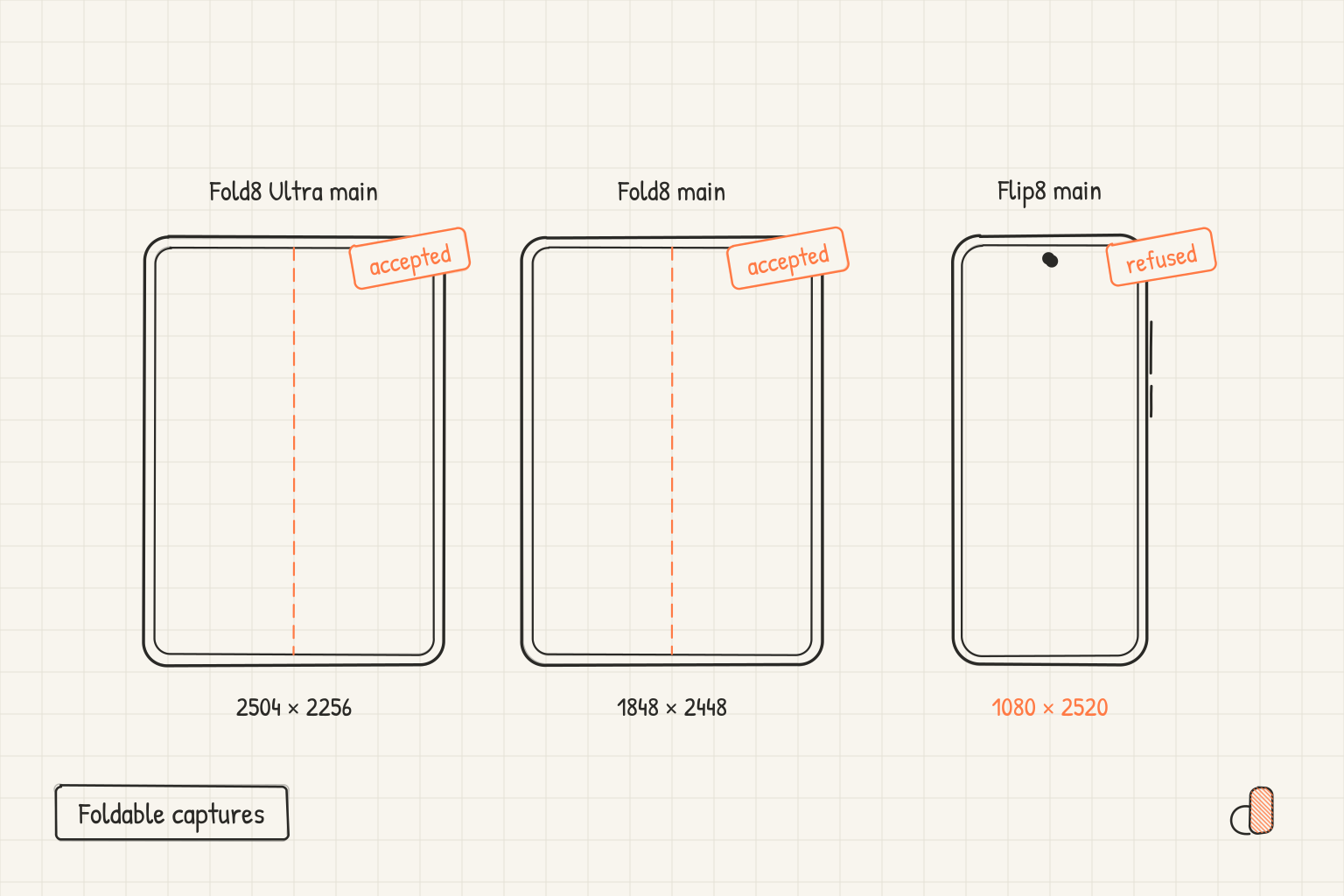
These are the panel resolutions from Samsung's Galaxy Z series announcement, dated July 22, 2026. A full screen capture on each device comes out at the pixel count in the second column. The third column is the long side divided by the short side, which is the number Play's size rule turns on.
| Device and screen | Panel resolution | Long to short ratio | Play requirements |
|---|---|---|---|
| Fold8 Ultra main, 8.0 inch | 2504 × 2256 | 1.11 | Accepted |
| Fold8 Ultra cover, 6.5 inch | 1080 × 2520 | 2.33 | Refused |
| Fold8 main, 7.6 inch | 1848 × 2448 | 1.32 | Accepted |
| Fold8 cover, 5.5 inch | 1248 × 1972 | 1.58 | Accepted |
| Flip8 main, 6.9 inch | 1080 × 2520 | 2.33 | Refused |
| Flip8 cover, 4.1 inch | 948 × 1048 | 1.11 | Accepted |
The unfolded displays are the unusual ones. Fold8 Ultra opens wider than it is tall, and Fold8 opens taller than wide but far closer to square than any phone. The Flip8 cover screen is almost square as well, and it is the only capture here with a side under 1080 pixels.
Why two of the captures are refused
Google Play's screenshot requirements are short. A file must be JPEG or 24-bit PNG with no alpha, every side must be at least 320 pixels, no side may exceed 3840 pixels, and the maximum dimension cannot be more than twice as long as the minimum dimension. You need at least two screenshots across different device types to publish, and can add up to eight per type.
The Fold8 Ultra cover screen and the Flip8 main screen both measure 1080 × 2520. Twice the short side is 2160, and 2520 is larger, so the raw capture falls outside the envelope. This is the same reason a 1080 × 2400 phone capture is not a valid Play upload while 1080 × 1920 is, a point the Google Play and Android size reference works through for the standard phone shapes.
To check a file, read its pixel dimensions in Finder's Get Info panel on a Mac or the file properties on Windows, then divide the larger number by the smaller one. Anything above 2.0 will be rejected. The fix is not to crop the tall capture and not to squash it: Play's guidance says "Do not include images that are stretched or compressed." Place it on a 1080 × 1920 canvas at its natural proportions and let a background colour fill the rest.
Play has no foldable listing slot
Play organises screenshots by device type, and its supported types are phones, tablets at 7 inch and 10 inch, Chromebooks, Android TVs, Wear OS watches, Android Automotive OS cars and Android XR headsets. There is no foldable entry, so a Fold8 or Flip8 capture has to go into a slot that already exists.
The large screens slot, which covers Chromebooks and tablets, does not help with the unfolded displays. It asks for at least four images between 1080 and 7680 pixels at a 16:9 ratio for landscape or 9:16 for portrait. The Fold8 Ultra main capture at 1.11 and the Fold8 main capture at 1.32 are nowhere near 9:16, which is about 1.78. The Fold8 cover capture at 1.58 is the closest of the three and still short of it. The Flip8 cover capture at 948 × 1048 fails the size floor outright, since one of its sides is under 1080.
Android's adaptive app quality guidelines tell developers to "Upload screenshots that show off the app on tablets and foldables" and hand sizing back to the Play Help page above. So the material for a foldable listing is your unfolded interface, redrawn onto a canvas Play accepts, rather than a raw panel capture.
What to upload for these three phones
Export every image at 1080 × 1920. It sits inside the requirements envelope, it meets the highly recommended bar of at least four screenshots at a minimum of 1080 pixels in 9:16 portrait, and it is one consistent shape across a set, which matters because Play shows the images in a row.
How each capture reaches that canvas depends on its shape. The Fold8 Ultra cover screen, the Flip8 main screen and the Fold8 cover screen are phone shaped, so they fill a 1080 × 1920 canvas with headroom for a headline. The near square unfolded displays do not. Scale one down until the whole interface is visible, centre it, and let the background carry the rest. Cropping a nearly square layout into a tall canvas throws away the part of the screen that makes the foldable worth showing.
Leave device imagery out. Play's highly recommended list names "Device imagery (as this can become obsolete quickly or alienate some users)" among the elements to avoid, so the upload should be the interface on a background, with no phone body drawn around it.
Then check the file format. Play accepts JPEG or 24-bit PNG with no alpha, so a PNG carrying a transparency channel can be rejected even when every pixel in it is opaque. Open the export in an image editor and look at the reported channels or bit depth, and if it lists an alpha channel, flatten the image onto an opaque background or save it as a JPEG before uploading.
Doing it free in appdesigns
appdesigns is a free browser editor, with no account needed to create or export, no watermark and unlimited exports. It has a 1080 × 1920 canvas preset, along with 1080 × 2400 and 1440 × 3120 and a landscape version of each, so you can open the Google Play screenshot generator at the size you need. Backgrounds can be an image, a gradient or a flat colour, which is what you want behind a near square Fold8 capture, and you can add headline text and tilt above it.
For the upload, keep the frame off. Frames for the Pixel 11 Pro and the Galaxy S26 Ultra are there, as is Uniframe, a brand neutral phone frame, and those suit a landing page or a press kit rather than the Play Console. There is no Galaxy Z Fold8 or Flip8 frame. Multi screen projects keep a set on one device type, and the gallery of shipped screenshot sets shows how other apps handled the same row.
Two limits worth stating plainly: appdesigns does not check your files against store rules, and its PNG exports can carry an alpha channel even when the background is opaque. Verify the format yourself, or export a JPEG, before you send anything to the Play Console.
Frequently Asked Questions
Can I upload a Galaxy Z Flip8 main screen capture to Google Play?
Not as captured. The Flip8 main display is 1080 x 2520, which is 2.33 times as tall as it is wide, and Play refuses a screenshot whose long side is more than twice its short side. Place it on a 1080 x 1920 canvas without stretching and upload that.
Does Google Play have a foldable screenshot slot?
No. Play's supported device types are phones, tablets at 7 inch and 10 inch, Chromebooks, Android TVs, Wear OS watches, Android Automotive OS cars and Android XR headsets. Foldable captures go into the phone slot, or the large screens slot if they meet its ratio and its 1080 pixel floor.
What resolution is the Galaxy Z Fold8 Ultra main screen?
Samsung lists it as 8.0 inch at 2504 x 2256 pixels and 422 ppi. The Fold8 main screen is 7.6 inch at 1848 x 2448 and 403 ppi. Both are close enough to square that neither matches any ratio Play asks for.
Should Play screenshots for a foldable include a device frame?
No. Google's highly recommended guidance lists device imagery among the elements to avoid, on the grounds that it dates quickly, so upload the interface on a plain background. Save framed versions for your own site, ads and press materials.
What is the smallest image Google Play will accept?
Every side must be at least 320 pixels and no side may exceed 3840 pixels. That is the hard requirement, but the highly recommended guidance asks for at least four screenshots at a minimum of 1080 pixels before a listing is eligible for the large recommendation formats, so 320 pixels is a floor rather than a target.